
Phishing emails are a major threat to businesses and hackers are getting more creative as each day passes. Recognizing these common techniques is essential for protecting yourself and your organization from security breaches. Here are some tips to help recognize these common e-mail threats and what you should do to protect your business from potential harm.
Understanding Email Phishing
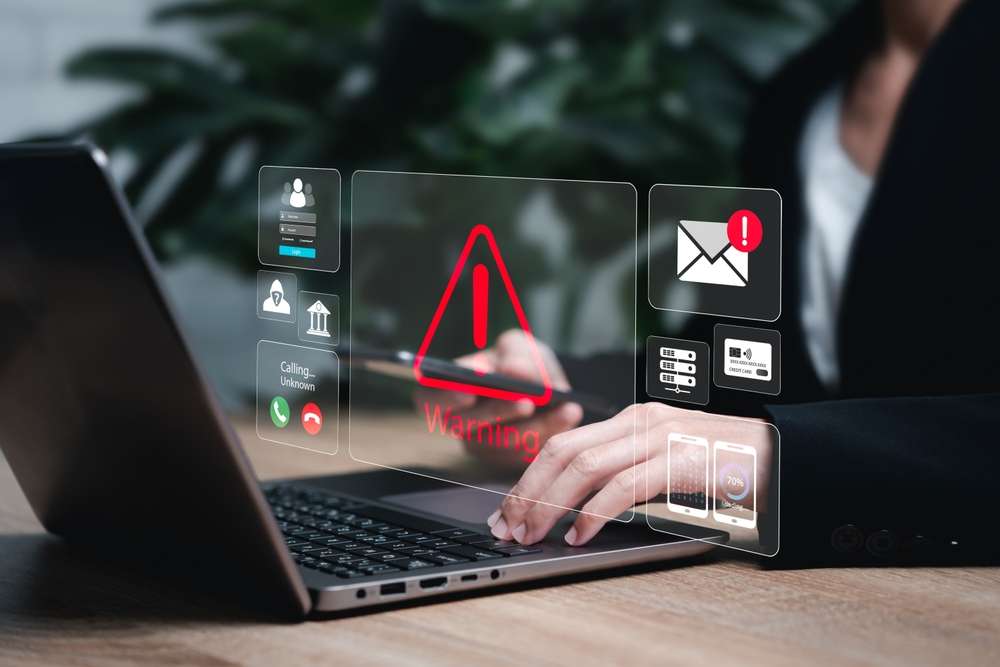
With the shift to remote work and increased email activity, there’s been a rise in potentially dangerous email messages, particularly phishing attacks.
Previously focused on consumers, phishing has now become the leading social attack on businesses, accounting for over 90% of security breaches. Phishing tactics are evolving, and while there are many methods phishers use to deceive employees, several techniques are more commonly relied upon.
What is phishing? Phishing involves a hacker attempting to obtain personal information by pretending to be a legitimate person, organization or brand. This is most often done via email where the hacker uses the fake credibility to lure the user into clicking on a fake website, providing credit card information or sharing their personal information for what feels like a legitimate purpose.
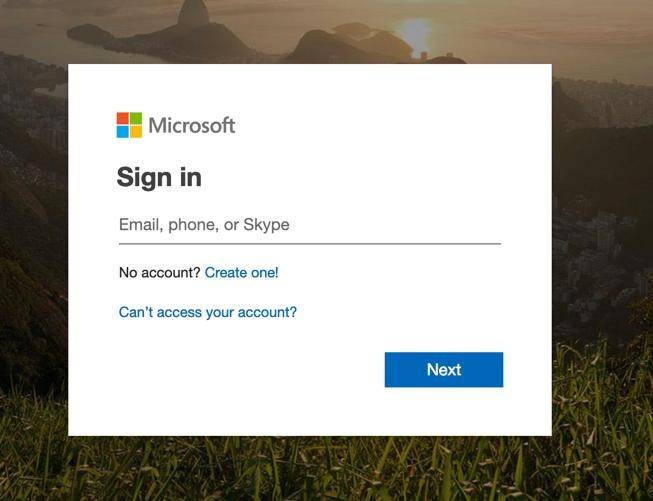
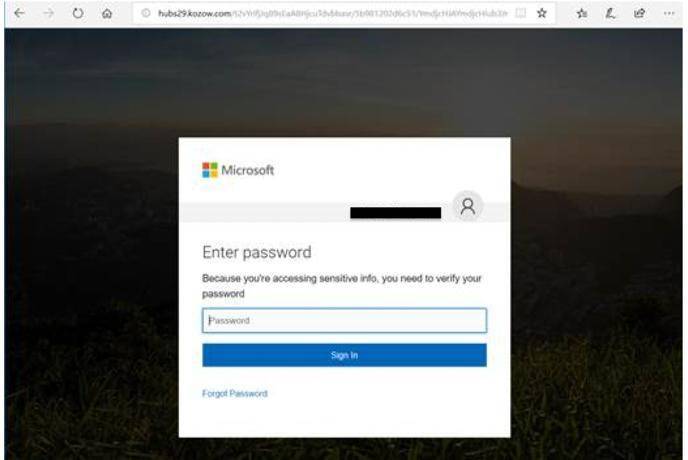
A classic example is the “Office 365 phishing attack”. An email seemingly from Microsoft prompts the user to log into their Office 365 account. Clicking the link leads to a counterfeit login page, where their credentials are captured by the attacker.
Real
Fake
Spoofed Email Addresses
As previously mentioned, another tactic to be aware of is when a hacker uses an email address that looks very similar to a real email address but has a slight difference, often overlooked by the user. They use display name spoofing, appearing as a reputable company, like microsoftsupport@microsoft.com, but the underlying email might be a random address such as xyz@yahoo.com. This tactic is especially effective on mobile devices where the full sender email is hidden, and users may not expand to view it.
Merely checking the sender’s address isn’t enough to trust an email. Cybercriminals can disguise messages cleverly.
Enticing or Threatening Language in Emails
You’ve likely seen, and possibly personally received, phishing emails that promise “a free gift card to the first 100 respondents” or warn you that “your credit card will be suspended without immediate action.” This common tactic plays on emotions like panic or curiosity, prompting recipients to respond swiftly to avoid financial loss or gain rewards.
The Newest Tactic Known as Spear Phishing
Hackers are taking it a step further and implementing what is known as spear phishing. In spear phishing, emails are sent from supposed colleagues, and they tend to evoke work-related fear. An urgent request from a CEO for gift cards or a wire transfer pressures employees to act quickly, often without verifying the message’s legitimacy.
Emails with urgent or aggressive tones suggesting immediate action should be scrutinized as potential scams. Common examples include messages stating accounts are locked or invoices must be paid to avoid service disruption.
Personalized Attacks with Deceptive Links
Phishing attempts used to be impersonal, often addressing users with generic terms like “customer” or “employee.” Nowadays, phishing emails are personalized with first names, misleadingly suggesting legitimacy. Employees should carefully check emails and inspect links by hovering over them before clicking, ensuring the destination is legitimate. If unexpected, it’s likely a phishing attack.
Responding to a Phishing Email
Phishing emails are often cleverly disguised as legitimate communications, making it easy for even experienced users to fall victim. These attacks can lead to data breaches, financial loss and damage to an organization’s reputation. Recognizing warning signs such as unfamiliar senders, unexpected requests for sensitive information or urgent messages requiring immediate action is crucial for staying safe online.
Simply deleting the email is not the solution. Employees should report the potential phishing attempts to their IT team to investigate. The IT team is able to review the threat for legitimacy, alert others if needed and strengthen protective measures. Managed IT services play a vital role in this process by proactively monitoring networks, deploying advanced threat detection tools and providing ongoing employee training. With a dedicated team overseeing cybersecurity, businesses can better defend against evolving tactics used by cybercriminals and ensure that their data remains secure.
Dealing with the repercussions of a phishing attack is not only time consuming but costly. One cavalier click has the potential to compromise an entire network. It is important that everyone works as a team to protect the organization from harm. The Hamilton team is here to provide guidance and share best practices as well as implement managed IT and cybersecurity solutions to proactively help prevent various cyber attacks from ever taking place.